See it before you buy it
This is what your Drive Pay report looks like.
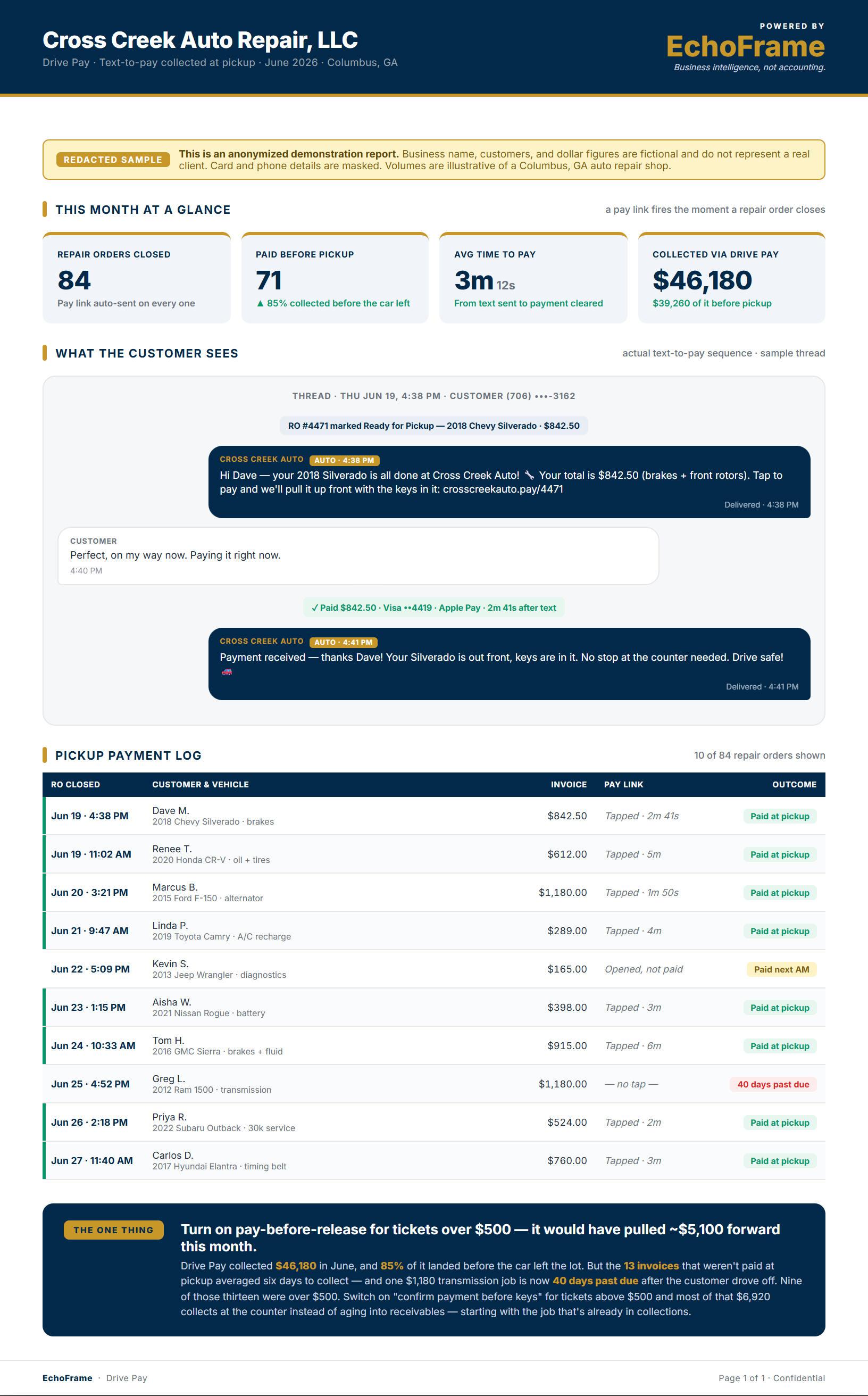
Text to pay sent before the car leaves, with what you collected at pickup instead of chasing. Here's a redacted sample.
The car is done. A text goes out. Payment comes in. All before they pull out of the lot.
When a job closes, Drive Pay automatically fires a payment link to the customer's phone, no terminal, no awkward moment at the counter.
Drive Pay hooks into your existing workflow. When a repair order closes, or a job reaches the "ready for pickup" status, the payment link triggers automatically.
A clean, mobile friendly payment page with the invoice summary, total amount, and a tap to pay option. They can pay from their phone in under 60 seconds, before they've even started the car.
You get a payment confirmation the moment it goes through. Your front desk sees it, your books update automatically, and the pickup conversation is already done.
The payment text goes out automatically when the job closes, no staff action needed. By the time the customer walks in to pick up, the invoice is already on their phone.
A clean, branded payment page that works on any phone, tap to pay with Apple Pay, Google Pay, or card. No app to download, no account to create, no friction between them and the checkout.
If the link goes unopened, Drive Pay sends a polite follow up after a set window. Most unpaid invoices resolve on the first follow up, before you ever have to make a call.
See every open and closed invoice, payment status, and collection time in one view. Know exactly how long it's taking to get paid and where the holdups are.
Text to pay sent before the car leaves, with what you collected at pickup instead of chasing. Here's a redacted sample.
One flat monthly price. No setup fees, cancel anytime.
No setup fees. Cancel anytime. Payment processing fees apply separately.
Close the job, send the text, and collect payment before they pull out of the lot, no chasing, no awkward invoice calls.